Photo and Signature Size for Online Forms
Many recruitment tests, entrance exams, and government registration websites require applicant photographs and signatures that match strict pixel dimensions and kilobyte limits. This guide explains how to prepare compliant files using browser tools without transmitting private images to remote servers.
Two Requirements: Dimensions and File Size
When an application portal rejects an image, it usually fails one of two independent checks:
- Pixel dimensions: The width and height of the image in pixels.
- File size in kilobytes: The total bytes stored on disk.
A common mistake is trying to solve both issues at once. Changing image quality without setting dimensions can leave the picture too wide or tall, causing an automated rejection. Conversely, cropping or resizing without checking byte size may leave the file too large for server acceptance. Following a two-step approach solves both constraints reliably.
Step 1: Set Exact Dimensions in Image Resizer
Begin by ensuring your image has the exact width and height demanded by your application system.
- Open Image Resizer in your browser.
- Choose your photo or signature file. The image loads in your browser without being uploaded.
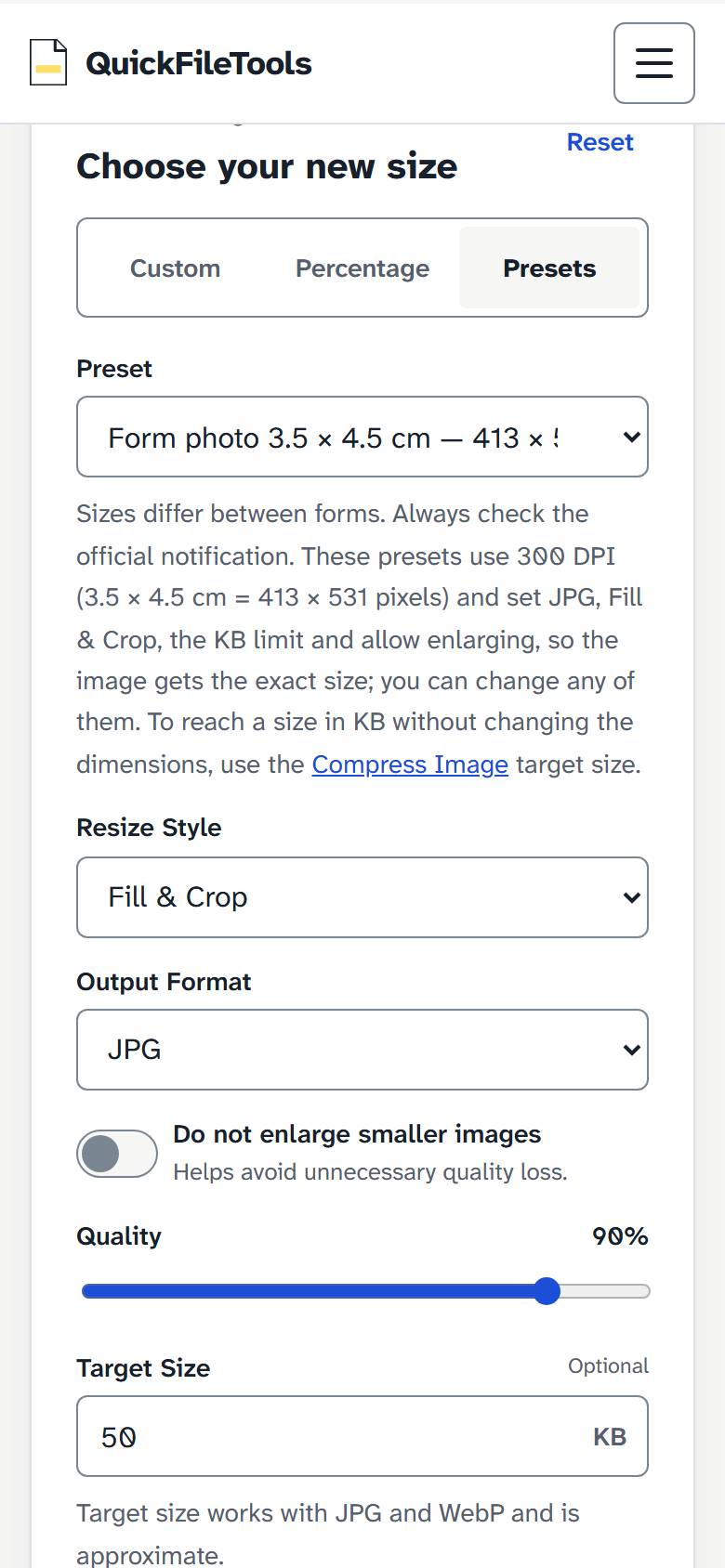
- The tool offers three tabs: "Custom", "Percentage", and "Presets". Select the "Presets" tab.
- Under Presets, the select offers options including "Form photo 3.5 × 4.5 cm — 413 × 531, 20–50 KB" and "Signature 4 × 2 cm — 472 × 236, 10–20 KB".
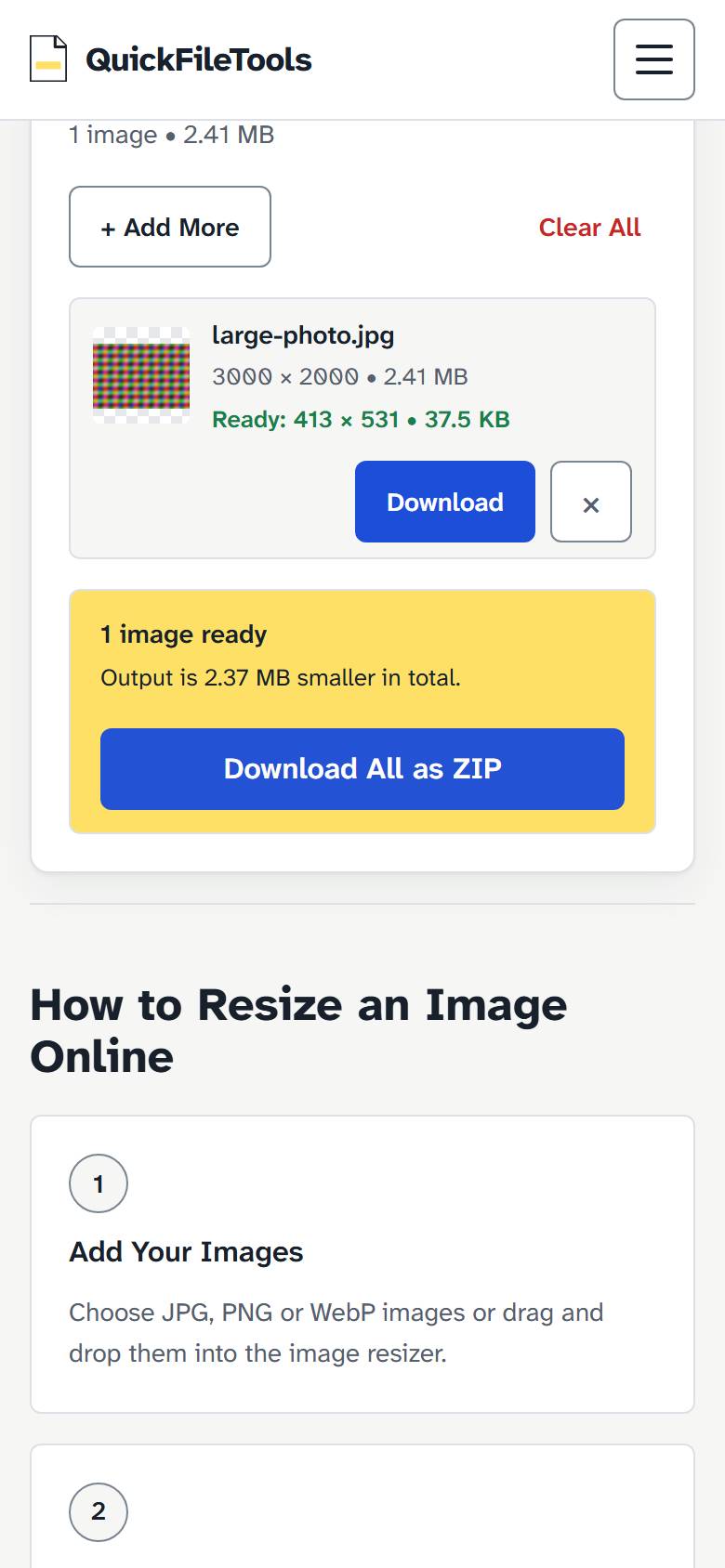
- Selecting a form preset automatically sets the output format to JPG, the resize style to Fill & Crop, sets the KB limit, and allows enlarging so your image achieves the exact dimensions. If your form requires custom pixel dimensions instead, use the "Custom" tab.
- Select "Resize Images" to process your image directly on your device.
Step 2: Compress to the Target Kilobyte Range
To reach a specific size in kilobytes without changing image dimensions, use Compress Image.
- Open Compress Image in your browser.
- Choose your image file.
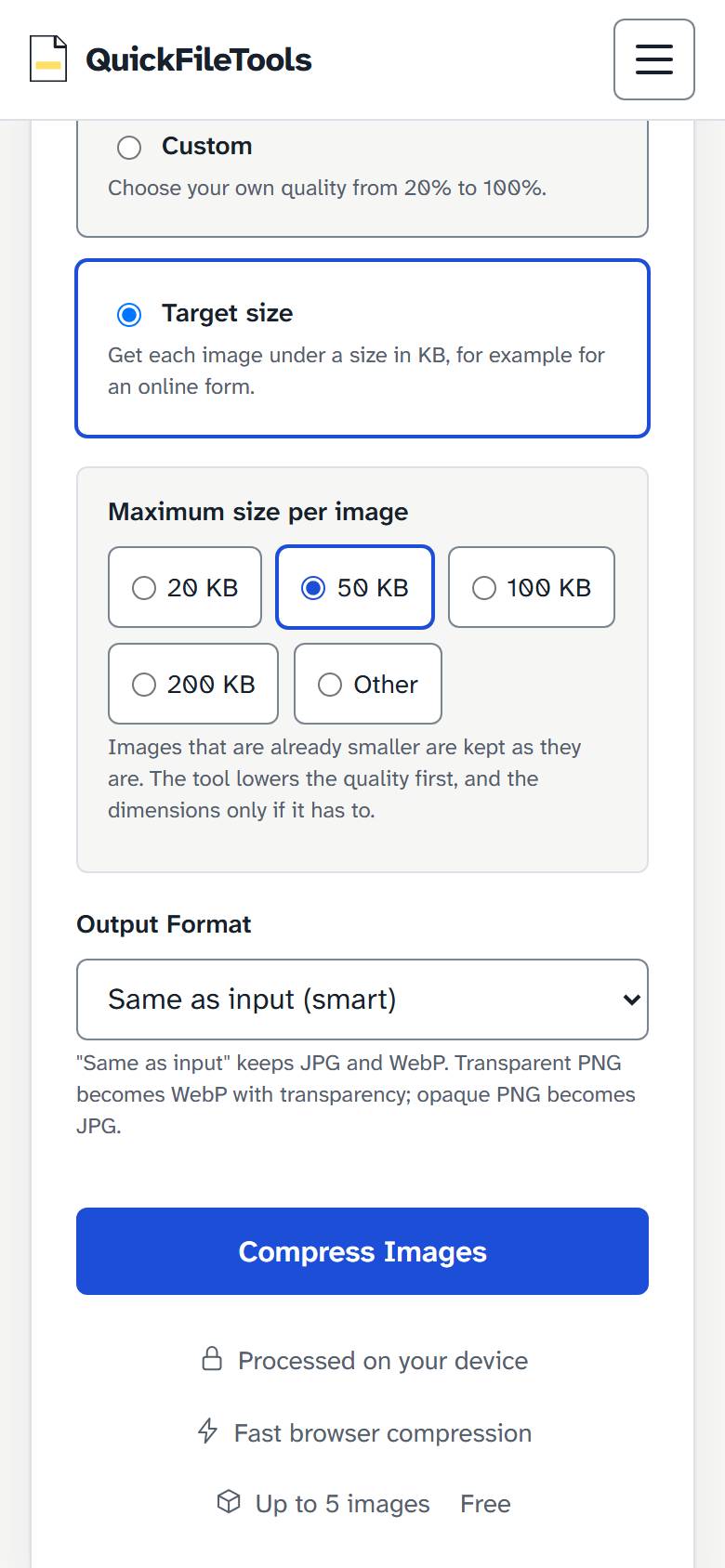
- Under Compression Level, choose between "Recommended", "Strong", "Custom", and "Target size". Select "Target size".
- Under Maximum size per image, select from the size chips: "20 KB", "50 KB", "100 KB", "200 KB", or select "Other" to enter a specific kilobyte value.
- Select the "Compress Image" button to compress the image on your device.
- Select "Download" next to the image to save the finished file.
Reference Example: SSC Online Portal Limits
To understand how recruitment portals specify image requirements, consider the official notice for the SSC Combined Higher Secondary Level Examination 2022:
- Photograph: The notice asked for a passport-size photo in JPEG, 20 KB to 50 KB, about 3.5 cm x 4.5 cm.
- Signature: The notice asked for a scanned signature in JPEG, 10 KB to 20 KB, about 4.0 cm x 2.0 cm.
Image Resizer's presets turn those centimetres into pixels at 300 DPI: 413 x 531 px for the photo and 472 x 236 px for the signature.
This is an older notice used as an example, and rules change between exams and years. SSC itself has changed: its CHSL 2026 notice has the application form capture a live photo, says capturing a pre-existing photo means rejection, and asks for a 10–20 KB signature of about 6.0 cm x 2.0 cm. Always check the official notification for your particular exam or recruitment drive to confirm the current specifications.
Always Check Your Official Notification
Specifications vary substantially across examination boards, banking recruitment portals, state public service commissions, and passport authorities. Some systems enforce strict lower bounds (such as rejecting any upload under 20 KB), while others demand specific aspect ratios or white backgrounds behind signatures.
Never assume rules from one exam apply to another. Always open your examination notice or brochure, confirm the exact width, height, minimum kilobyte size, and maximum kilobyte size, and use those precise figures in the tools above.
Privacy Notice for Identity Photos
Passport photos and handwritten signatures are sensitive personal identity assets. Using server-based online converters carries the risk of storing your photograph or signature on third-party computers. Both Image Resizer and Compress Image execute all transformations entirely within your browser environment. Your files are not transmitted across the internet.