Photo Pixels vs KB: Which One Does the Exam Portal Check?
They are two separate measurements. Pixels are the picture's width and height. KB is how much storage the file takes. The IBPS guidelines state both for a photo: 200 × 230 pixels (preferred) and 20–50 KB. Meeting one does not meet the other, so check both before you upload.
The short answer
We cannot see how a portal's software checks a file, so nobody outside the exam body can tell you which number it tests first. What you can do is follow what the notice says. If it gives pixels and KB, prepare a file that meets both.
An exam photo resizer sets the width and height and keeps the file inside the KB range you choose.
What pixels measure
Pixels describe the picture's size on a grid. A 200 × 230 pixel photo is 200 pixels wide and 230 pixels tall. Pixels also set the shape of the picture, because they fix how wide it is compared with how tall.
Notices sometimes give pixels, DPI and centimetres together. The IBPS guidelines give the left thumb impression as 240 × 240 pixels in 200 DPI, which they equate to 3 × 3 cm. So DPI connects the pixels to a printed size.
If you only need to change the width and height, an image resizer does that job.
What KB measures
KB measures the size of the file, not the size of the picture. A file's KB number does not tell you its width or height.
The IBPS guidelines ask for a photo between 20 KB and 50 KB and a signature between 10 KB and 20 KB. To lower the KB without changing the pixels, you can compress the image.
Why the same photo can pass one and fail the other
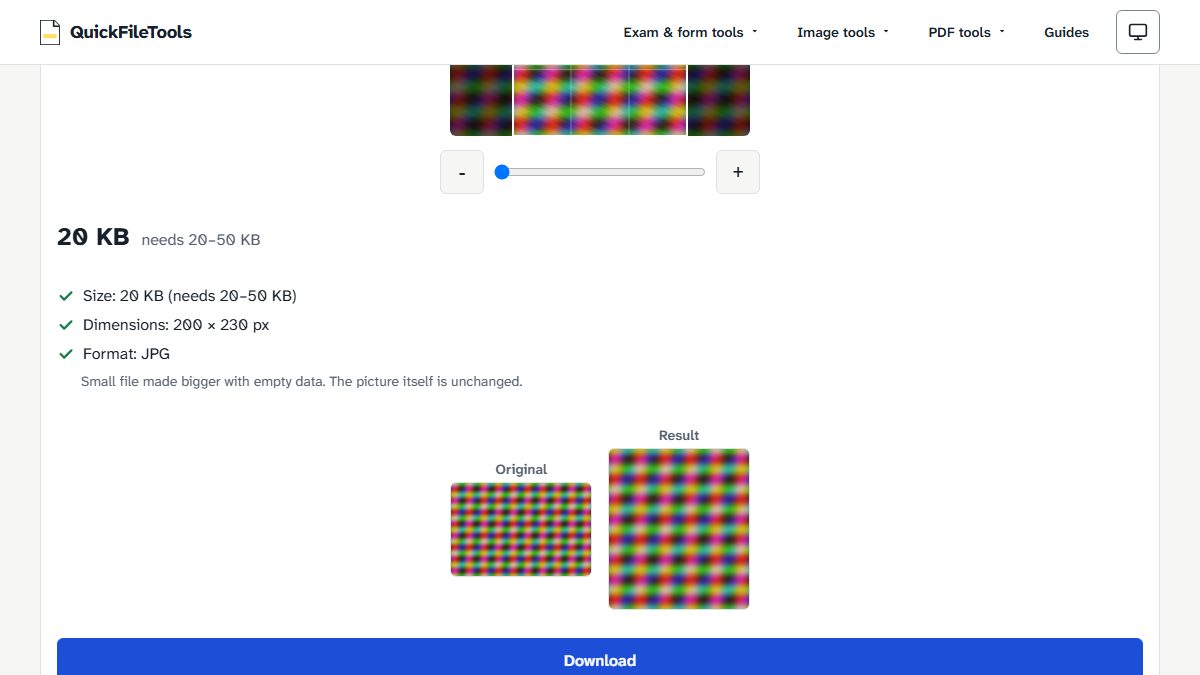
We ran one generated test image through our tool with different limits. It was 3000 × 2000 pixels and 2,466 KB, a coloured test pattern with no real person in it.
| Width × height asked | KB range asked | Result |
|---|---|---|
| 200 × 230 | 5–10 | 9 KB, 200 × 230 px, JPG |
| 200 × 230 | 20–50 | 20 KB, 200 × 230 px, JPG, with the note Small file made bigger with empty data. The picture itself is unchanged. |
| 200 × 230 | 200–300 | 200 KB, 200 × 230 px, JPG, with the same note |
| 800 × 600 | 5–20 | 19 KB, 800 × 600 px, JPG |
| 413 × 531 | 20–50 | 45 KB, 413 × 531 px, JPG |
| 1000 × 1000 | 5–6 | Error: This picture cannot get under 6 KB at this size. Crop closer or use a simpler background. |
Four things stand out:
- The same pixels gave 9 KB, 20 KB and 200 KB.
- A picture with far more pixels (800 × 600) still fitted in 19 KB.
- Too many pixels with a very low KB limit could not be met for this image.
- A bigger KB number did not add detail. The tool's note says the picture is unchanged.
Your own photo will give different numbers, because results depend on the picture.
What the notice asks for
Here is what the IBPS PO/MT-XV upload guidelines (2025) give:
| Document | Pixels (preferred) | File size |
|---|---|---|
| Photo | 200 × 230 | 20–50 KB |
| Signature | 140 × 60 | 10–20 KB |
| Left thumb impression | 240 × 240 in 200 DPI | 20–50 KB |
| Handwritten declaration | 800 × 400 in 200 DPI | 50–100 KB |
Notice the wording. The pixel sizes are called "preferred", while the file sizes are given as ranges. The guidelines also say: If the file size and format are not as prescribed, an error message will be displayed. That sentence names file size and format. It does not tell us whether pixels are tested too, so do not assume they are ignored.
Exams differ as well. Our UPSC preset uses a range instead of exact pixels: 350–1000 pixels per side, with a photo of 20–200 KB. For a full example, see the IBPS photo, signature, thumb and declaration sizes. If a file has already been refused, go through the reasons a portal refuses an upload.
How to meet both
- Under
Exam, choose your exam. If it is not listed, chooseCustom sizeand type the numbers from your notice. - Under
Document, pick what you are preparing, if the exam lists documents. - Click
Choose imageand select your file. It is processed on your device and not uploaded. - Read the result lines:
Size:,Dimensions:andFormat:. Compare each one with your notice. - Click
Downloadto save the JPG.
What we tested
We tested our Exam Photo Resizer on 2 November 2026 in Chromium, using the generated test pattern described above. We read the KB and pixel sizes back from the downloaded files. We did not test any exam portal, so these results show what our tool produces, not what a portal accepts.
Frequently asked questions
Does a bigger KB mean a clearer photo?
Not when empty data is what made it bigger. In our test, the tool reached 20 KB and 200 KB by adding empty data, and its note says the picture itself is unchanged.
Why are pixels "preferred" but KB given as a range?
The IBPS guidelines use that wording but do not explain it. We cannot see how the portal's software checks, so the sensible choice is to meet both.
Does renaming a file change its pixels or KB?
No. Renaming changes only the name. The pixels, the KB and the real file type stay the same.
Prepare your exam photo
Have your notice open, and set your photo to the exact pixels and KB it asks for. Then compare the result lines with the notice before you upload. Your file stays on your device.