What Is a PNG File? Transparency, Compression and When to Use It
A PNG (Portable Network Graphics) file is an image format that uses lossless compression and supports background transparency. It keeps every pixel exactly, making it the best choice for screenshots, logos, and line art. When you need smaller files for photographs or web uploads, you can convert PNG to JPG in your browser.
What does PNG stand for and who created it?
PNG stands for Portable Network Graphics and is pronounced "ping".
According to the W3C PNG specification (PNG Third Edition, W3C Recommendation of 24 June 2025), PNG is defined as "an extensible file format for the lossless, portable, well-compressed storage of static and animated raster images". The specification explains that every valid PNG file begins with an identical sequence of 8 bytes: 89 50 4E 47 0D 0A 1A 0A. Software decoders inspect these magic bytes to identify the file format, even if someone renames the extension.
The W3C standard defines five standard colour types:
- Colour type 0: Greyscale
- Colour type 2: Truecolour (RGB)
- Colour type 3: Indexed-colour
- Colour type 4: Greyscale with alpha
- Colour type 6: Truecolour with alpha (RGBA)
The 2025 Third Edition specification also officially integrates Animated PNG (APNG) under the media type image/apng.
The MDN image file type guide highlights that PNG "uses lossless compression" with "full alpha transparency support". MDN notes: "PNG is lossless, making it better for screenshots, diagrams, and line art. PNG is also the fallback for any image needing transparency, as JPEG has no alpha channel." MDN adds: "For screenshots, diagrams, logos, and line art, prefer lossless encoding".
What does lossless compression mean in a PNG?
Lossless compression means decoding the file gives back the exact pixels that were saved. Saving a PNG again does not degrade the picture or introduce compression artifacts.
In a lossy format like JPG, the encoder discards visual details during every save to keep the file size small. If you open a JPG, make a small change, and save it again, the encoder compresses the pixels a second time. Over multiple saves, lossy compression gradually changes the pixels.
To measure this difference directly, we tested what happens when you re-save an image 10 times in a row. We took a real 1366×768 screenshot of quickfiletools.in (78.9 KB PNG, colour type 2 truecolour, 8-bit), drew it to a canvas element, and exported it 10 consecutive times in Chromium and Firefox.
| Saved 10× as | Browser | File size after save 1 → save 10 | Pixels different from the original after 10 saves |
|---|---|---|---|
| PNG | Chromium | 116.1 KB → 116.1 KB | 0% |
| PNG | Firefox | 86.5 KB → 86.5 KB | 0% |
| JPG quality 85 | Chromium | 79.3 KB → 77.6 KB | 91.3% (average change 1.77 of 255 per channel) |
| JPG quality 85 | Firefox | 87.8 KB → 85.6 KB | 91.3% (average change 1.77 of 255 per channel) |
PNG re-saves stayed pixel-identical in both browsers. At JPG quality 85, 91.3% of pixels shifted slightly: too small to see at a glance, but the picture is no longer the same.
The test also highlighted that identical pixels can produce different PNG file sizes. The original screenshot was 78.9 KB. Chromium re-saved it at 116.1 KB, while Firefox re-saved it at 86.5 KB. Even though both browsers preserved 100 percent of the pixels, their encoders produced different file sizes. In addition, both browsers saved the output as colour type 6 (truecolour with alpha), adding an alpha channel even though the screenshot was completely opaque.
How does PNG handle transparent backgrounds?
PNG handles transparency by storing an alpha channel alongside standard red, green, and blue colour channels.
The alpha channel defines how see-through each individual pixel is. In colour type 6 (truecolour with alpha), a pixel can be completely transparent (alpha 0), partially transparent (alpha between 1 and 254), or fully opaque (alpha 255). This allows drop shadows and smooth anti-aliased borders to blend into whatever background sits behind the image.
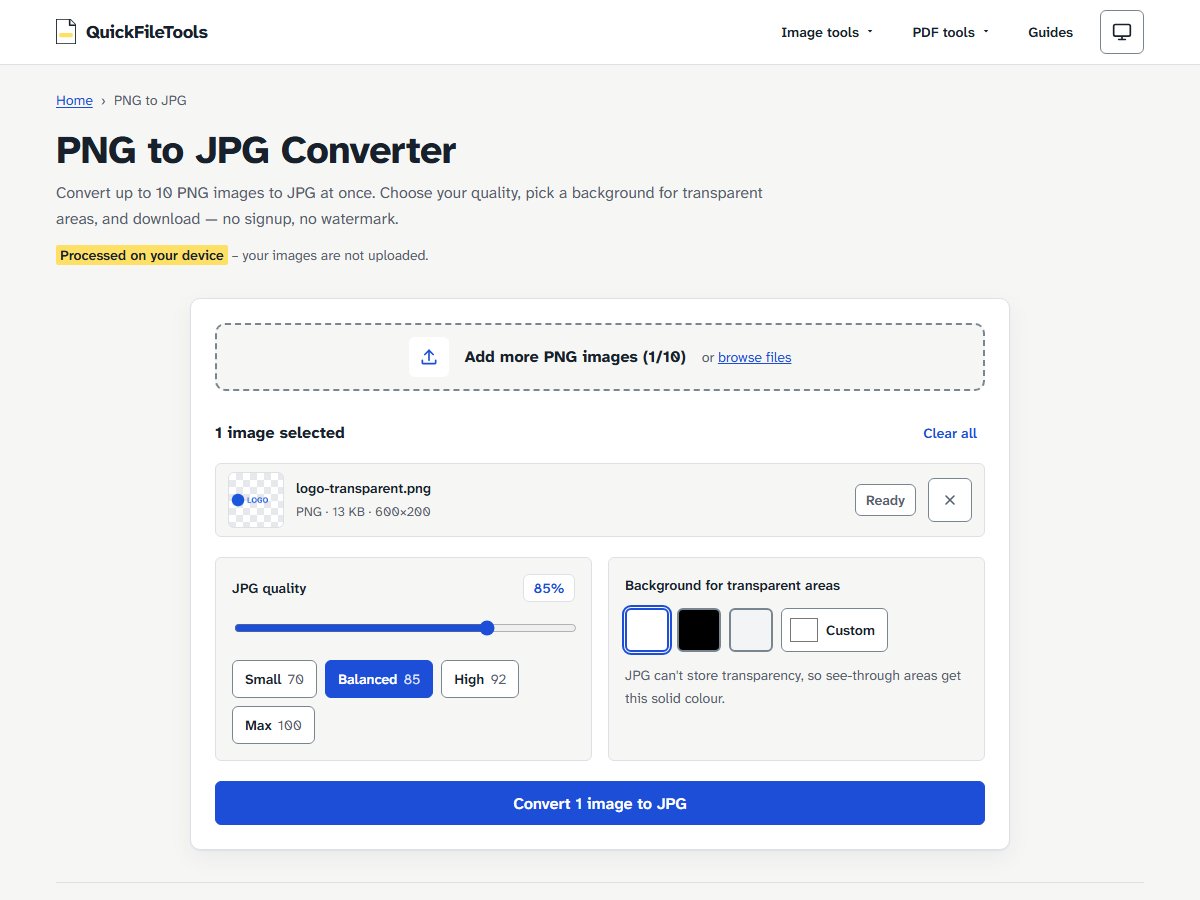
JPG has no alpha channel. When you convert a transparent PNG to JPG, every see-through pixel must be filled with a solid colour. Our tool provides a "Background for transparent areas" setting with white as the default, alongside black, grey, or custom colours. Without such a setting, transparent areas can come out black, as explained in our guide on why transparent PNG backgrounds turn black in JPG.
It is also possible for a PNG file to support transparency without containing any transparent pixels. In our guide on whether you can convert JPG back to PNG, we noted that a file saved in colour type 6 includes alpha data for every pixel, but if all pixels have an alpha value of 255, the image is entirely opaque. Supporting transparency is a feature of the container; displaying see-through areas requires pixels where alpha is less than 255.
Why is a PNG file sometimes much larger than a JPG?
A PNG file is much larger than a JPG when storing photographs because lossless compression cannot discard microscopic camera noise and subtle colour gradations.
Camera photos contain millions of tiny colour variations where nearly every neighbouring pixel has a slightly different value. Because PNG is lossless, it must store every microscopic difference. JPG was built specifically for continuous-tone photography. It uses mathematical transformations to discard high-frequency details that human vision does not easily notice.
In our earlier benchmarks from our guide on why JPG is bigger than PNG (measured on 23 October 2026 in Chromium with JPG quality 85), we compared file sizes across different image types:
| Image | PNG | JPG 85 |
|---|---|---|
| Screenshot, home page 1366×768 | 78.8 KB | 79.3 KB |
| Bar chart 800×450 | 13.5 KB | 15.8 KB |
| Photo-like pattern 1600×1067 (synthetic, not a real photo) | 4,282.8 KB | 188.8 KB |
The bar chart was smaller as PNG; the photo-like pattern was about 23 times smaller as JPG.
PNG is the right format for clean graphics with flat areas and sharp borders. For photographs, PNG keeps every tiny variation, which makes the file far bigger.
When should you use PNG instead of JPG?
Use PNG when you need transparency, crisp text, or pixel-perfect graphics, and choose JPG when you need smaller files for photographs.
Choose PNG for:
- Logos and brand marks: Transparency allows the graphic to overlay different website colours.
- Screenshots and UI captures: Crisp text and interface borders stay sharp without ringing artifacts.
- Diagrams, icons, and charts: Flat colours and straight lines compress efficiently.
- Master design copies: Repeated edits and saves will never degrade pixel quality.
Choose JPG for:
- Photographs and camera shots: Real-world photos compress to a fraction of the size of PNG.
- Forms that accept only JPG: some job and exam portals ask for JPG uploads.
- Website speed on older platforms: When modern formats like WebP or AVIF are not supported, JPG keeps page weight manageable. See our guide on the best image format for website speed for comparisons across modern formats.
How we tested PNG compression and file handling
We tested PNG compression and multi-save behaviour on 29 October 2026 using automated Playwright tests on the live quickfiletools.in site across Chromium and Firefox.
The test image was a real 1366×768 screenshot of quickfiletools.in (78.9 KB PNG, colour type 2). We drew it to a canvas, saved it 10 times in a row as PNG and as JPG quality 85, read the header bytes and colour type of every PNG, and compared the decoded pixels with the original. Browser encoders differ, so other programs will give different PNG sizes for the same pixels.
Common mistakes when working with PNG files
- Storing photographs as PNG: photo-like images are many times bigger as PNG (our photo-like test pattern was about 23 times bigger than its JPG).
- Renaming the extension to change format: Changing
image.pngtoimage.jpgin File Explorer does not convert the file data. The file remains a PNG starting with the 8-byte PNG header, and a portal that checks file contents can reject it. - Assuming every PNG has transparency: A PNG can be saved in colour type 2 (truecolour without alpha) or colour type 6 with all alpha values set to 255. Both formats produce fully opaque images.
- Expecting JPG to PNG conversion to restore transparency: you can turn a JPG, WebP or AVIF file into a PNG with our Image Converter, but transparent areas that were replaced with a background colour do not come back.
FAQ
Is PNG higher quality than JPG?
PNG uses lossless compression, meaning it preserves every pixel exactly without adding compression blur or edge artifacts. That gives it superior quality for graphics, text, and screenshots. For photographs, a JPG at a balanced quality often looks the same at normal viewing size while taking a fraction of the space.
Can a PNG file be animated?
Yes. The W3C PNG Third Edition specification includes Animated PNG (APNG) with the media type image/apng. Most PNG files you meet are still images.
Does renaming a .png file to .jpg convert it?
No. Renaming the file extension alters only the name, not the encoded data. The file continues to begin with the 8-byte PNG signature 89 50 4E 47 0D 0A 1A 0A. An upload form that checks the file contents can detect the mismatch and reject it.
Why did my PNG file get bigger after saving it in another program?
PNG file size depends on the encoder settings, compression level, and colour type selected by the saving program. In our tests, the same 78.9 KB screenshot came out at 116.1 KB when Chromium re-saved it and 86.5 KB in Firefox, with not a single pixel changed.
Pick the right format for your graphics
PNG provides pixel-perfect clarity and transparent backgrounds for logos, charts, and interface screenshots, while JPG offers compact file sizes for photos. When you need to turn heavy screenshots or transparent graphics into lightweight files for web sharing or form submissions, use the PNG to JPG tool on QuickFileTools. All processing happens in your browser, so your files stay on your device.
Related guides: Why Is My JPG Bigger Than My PNG? · Why Your PNG Turns Black When Converted to JPG · Can You Convert JPG Back to PNG?